LeRobot SO-ARM101机械臂 - 【步骤二:机械臂校准】使用教程
三. 机械臂控制
端口授权
连接好电源线,黑色主动臂使用5V6A电源适配器,白色从动臂使用12V5A电源适配器,舵机驱动板通过数据线连接到主机端
首先进入到lerobot/src/lerobot/目录下
cd ~/lerobot/src/lerobot/
然后激活您的 conda 环境(每次打开终端使用 lerobot 时都需要执行此操作!):
conda activate lerobot
- 运行脚本以查找端口
查找机械臂对应的 USB 端口 为了找到每个机械臂正确的端口,请运行实用脚本两次::
lerobot-find-port
- 示例输出
识别Leader机械臂端口时的示例输出(例如,Mac 上为/dev/tty.usbmodem575E0031751,或 Linux 上可能为/dev/ttyACM0):
Finding all available ports for the MotorBus.
['/dev/ttyACM0', '/dev/ttyACM1']
Remove the usb cable from your MotorsBus and press Enter when done.

[...Disconnect corresponding leader or follower arm and press Enter...]

The port of this MotorsBus is /dev/ttyACM1
Reconnect the USB cable.
识别Follower机械臂端口时的示例输出(例如,/dev/tty.usbmodem575E0032081,或在 Linux 上可能为 /dev/ttyACM1):
Finding all available ports for the MotorBus.
['/dev/ttyACM0', '/dev/ttyACM1']
Remove the usb cable from your MotorsBus and press Enter when done.

[...Disconnect corresponding leader or follower arm and press Enter...]

The port of this MotorsBus is /dev/ttyACM0
Reconnect the USB cable.
请记住要拔出 USB 接头,否则将无法检测到接口。
- 疑难解答
在 Linux 上,您需要通过运行以下命令来授予对 USB 端口的访问权限:
sudo chmod 666 /dev/ttyACM0
sudo chmod 666 /dev/ttyACM1
##校准机械臂
接下来,你需要对你的 SO-10x 机器人接上电源和数据线进行校准,以确保在相同的物理位置时,Leader机械臂和 Follower机械臂的位置信息一致。这个校准过程至关重要,因为它可以让在一个 SO-10x 机器人上训练的神经网络在另一个机器人上也能正常工作。如果需要重新校准机械臂,请完全删除~/.cache/huggingface/lerobot/calibration/robots或者~/.cache/huggingface/lerobot/calibration/teleoperators下的文件并重新校准机械臂,否者会出现报错提示,校准的机械臂信息会存储该目录下的json文件中。
- Follower机械臂的手动校准
请通过 3 针接口连接 6 个机器人舵机的接口,并将底盘舵机连接到舵机驱动板,然后运行以下命令或 API 示例来校准机械臂:
以PC(linux)和jetson板卡为例,第一个插入usb接口会映射为ttyACM0,第二个插入usb接口会映射为ttyACM1。
在运行代码前请注意leader和follower的映射接口。
- 接口授权
首先,您需要授予接口权限,运行以下命令:
sudo chmod 666 /dev/ttyACM*
- 然后校准Follower机械臂
接下来,通过运行以下 Python 命令来校准从动臂:
lerobot-calibrate \
    --robot.type=so101_follower \
    --robot.port=/dev/ttyACM0 \
    --robot.id=my_awesome_follower_arm
首先,您需要将机器人移动到所有关节都位于其 可活动范围中间 的位置 并 保持机械臂不动。然后,按下回车键后,您必须将每个关节在其完整的运动范围内移动,校准文件会记录下可活动范围的中位、最大值和最小值,并保存在~/.cache/huggingface/lerobot/calibration/robots或者~/.cache/huggingface/lerobot/calibration/teleoperators 目录下json文件中。
| 从动臂中位 | 主动臂中位 |
|---|---|
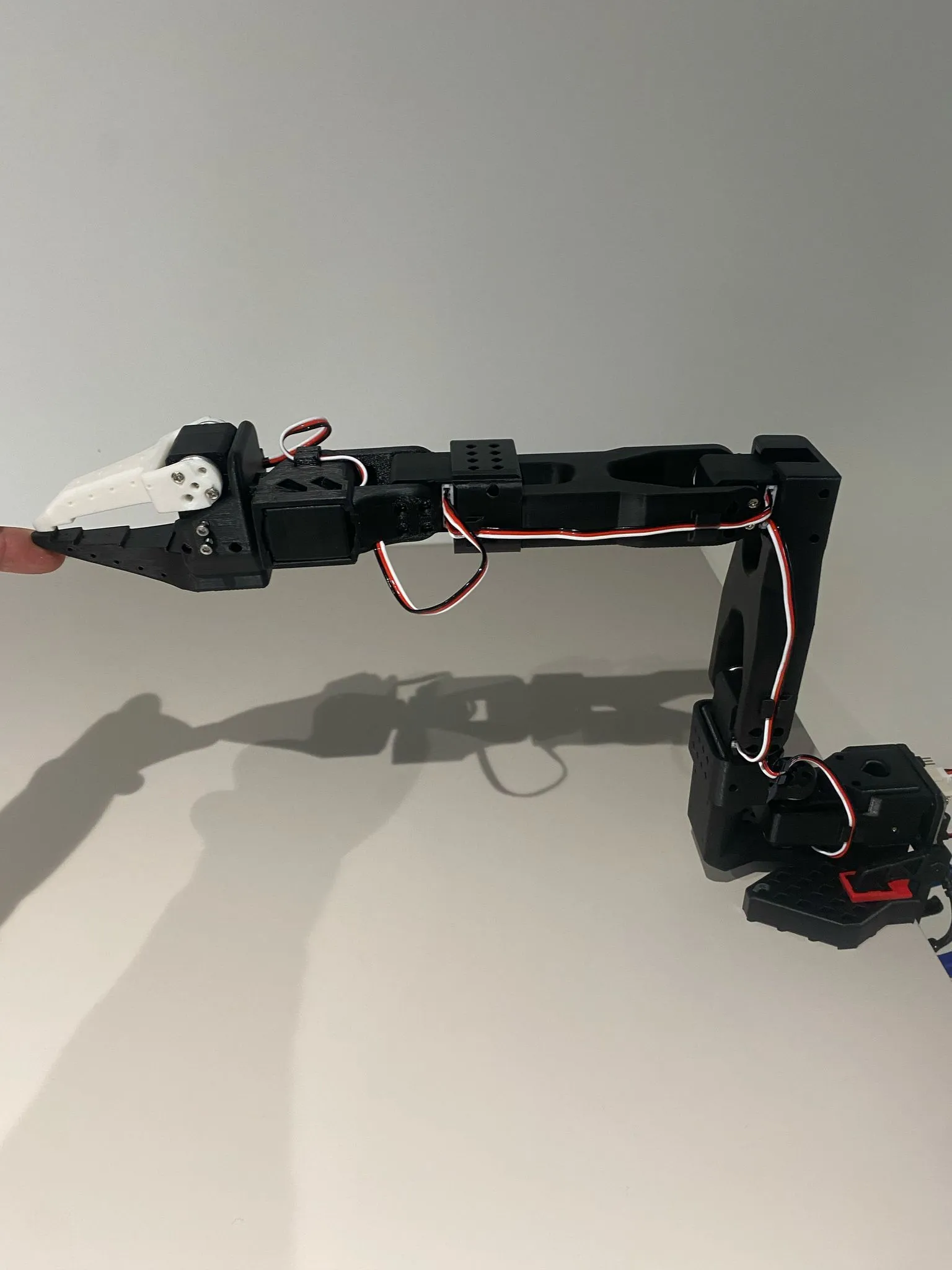 |
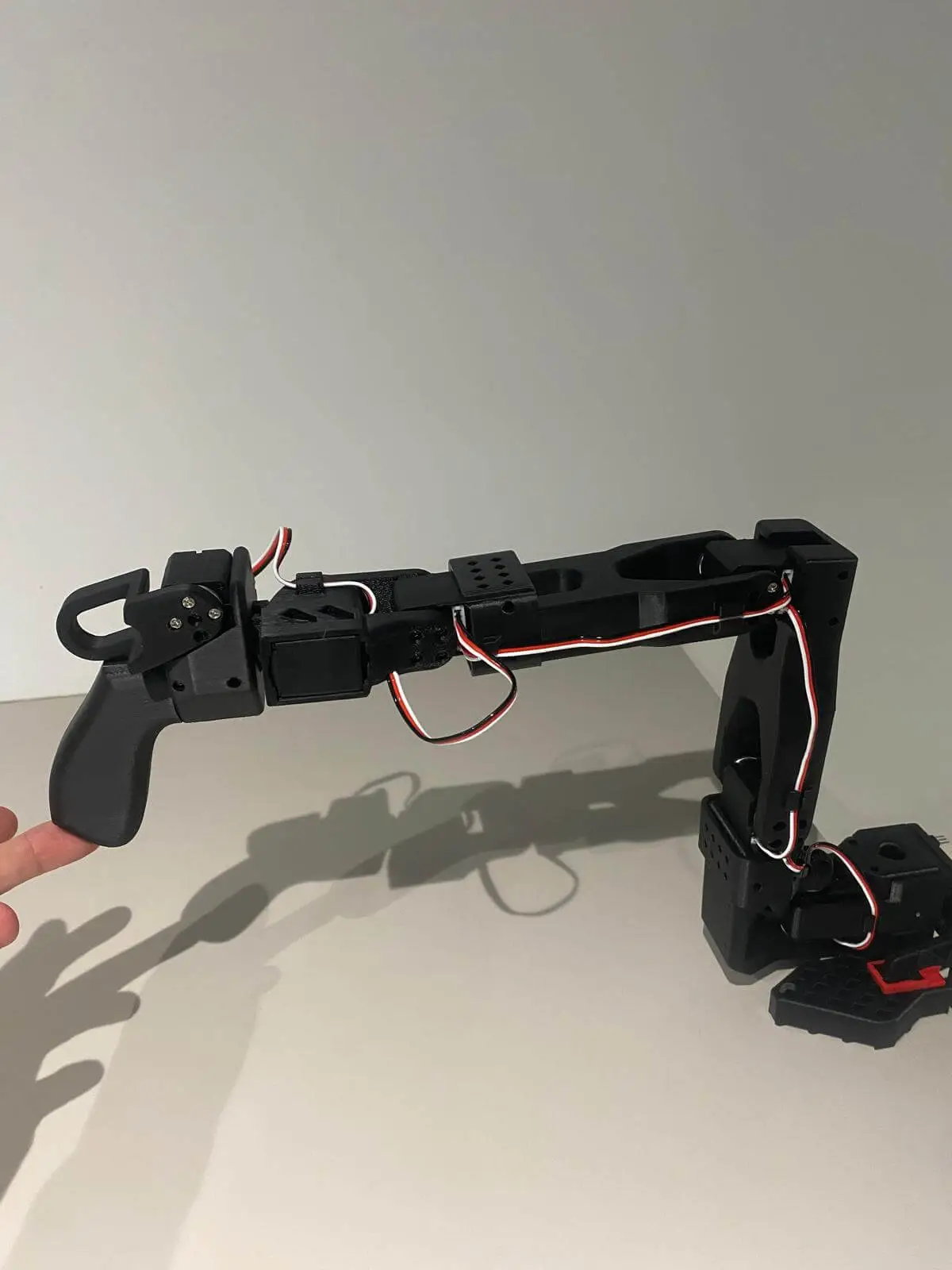 |
- 校准Leader机械臂
对主机械臂进行校准的步骤与上述相同,请运行以下命令或 API 示例:
lerobot-calibrate \
    --teleop.type=so101_leader \
    --teleop.port=/dev/ttyACM1 \
    --teleop.id=my_awesome_leader_arm
机械臂中位校准视频
注意事项
如果校准舵机ID时候遇到
`Motor ‘gripper’ was not found, Make sure it is connected`
请仔细检查通讯线是否与舵机连接正常,电源是否正确电压供电。”
- 如果遇到
Could not connect on port "/dev/ttyACM0"
并且通过ls /dev/ttyACM*看到是有ACM0存在的,则是忘记给串口权限了,终端输入sudo chmod 666 /dev/ttyACM* 即可
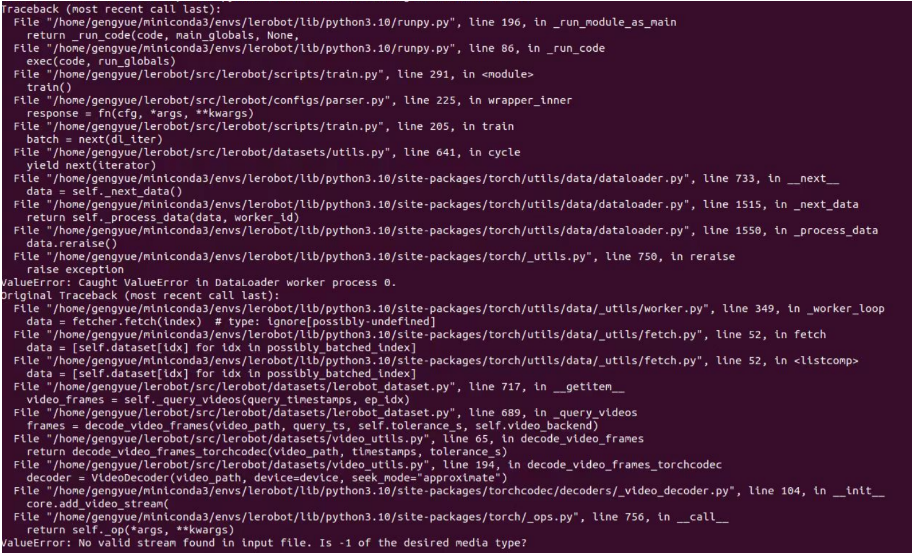
- 如果遇到
No valid stream found in input file. Is -1 of the desired media type?
请安装ffmpeg7.1.1
conda install ffmpeg=7.1.1 -c conda-forge
- 如果遇到
ConnectionError: Failed to sync read 'Present_Position' on ids=[1,2,3,4,5,6] after 1 tries. [TxRxResult] There is no status packet!
需要检查对应端口号的机械臂是否接通电源,总线舵机是否出现数据线松动或者脱落,哪个舵机灯不亮就是前面那个舵机的线松了。
- 如果校准机械臂的时候遇到
Magnitude 30841 exceeds 2047 (max for sign_bit_index=11)
对机械臂进行重新断电和上电,再次尝试校准机械臂加准,如果在校准过程中遇到MAX角度达到上万的值也可以使用这个方法,如果不行则需要对相应舵机进行重新舵机校准,即中位校准和ID写入。

立足具身智能前沿赛道,致力于搭建全球化、开源化、全栈式技术交流与实践共创平台。
更多推荐
 6
6 0
0- 0


 已为社区贡献4条内容

所有评论(0)