【开源智能机器人】OpenDuck-mini强化训练复现踩坑记录
·
项目背景
OpenDuckmini是一个超棒的开源双足机器人,在英伟达2025年末演讲上演示而爆火。
硬件部分已经有很多人出教程了,但软件部分提及的较少。
因此记录一下复现过程中的一些经验。
步态生成
待补充
RL训练
待补充
Mujoco仿真
模型训练成功后在palyground文件目录下运行
uv run playground/open_duck_mini_v2/mujoco_infepy -o
Open_Duck_reference_motion_generator/checkpoints/2026_01_29_112305_900300800.onnx
结果出现
ERROR: could not initialize GLFW 的错误!!
- 解决方案是:
完成本地 X11 服务搭建、远程服务器 SSH 配置开启 X11、VSCode 的 SSH 插件配置
参考另一篇博文:https://blog.csdn.net/weixin_46035550/article/details/157508146?sharetype=blogdetail&sharerId=157508146&sharerefer=PC&sharesource=weixin_46035550&spm=1011.2480.3001.8118
测试xeyes出现小眼睛后,再次运行仿真命令
uv run playground/open_duck_mini_v2/mujoco_infer.py -o <path_to_.onnx>
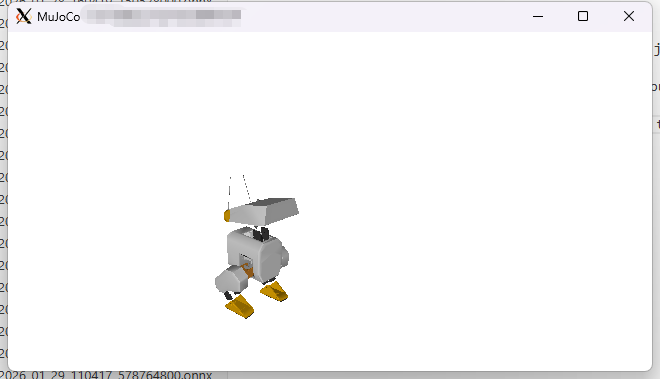
成功显示仿真界面,按上下左右箭头运动
后续
剩下的工作想做一些行走抗干扰的训练。项目原作者写的后续是可以自己添加自定义的机器人,按照他这套流程去训练和仿真。
Create a new directory in playground named after . You can copy the open_duck_mini_v2 directory as a starting point.
You will need to:
- Edit base.py: Mainly renaming stuff to match you robot’s name
- Edit constants.py: specify the names of some important geoms, sensors etc
In your mjcf, you’ll probably have to add some sites, name some bodies/geoms and add the sensors. Look at how we did it for open_duck_mini_v2 - Add your mjcf assets in xmls.
- Edit joystick.py : to choose the rewards you are interested in
Note: for now there is still some hard coded values etc. We’ll improve things on the way
Edit runner.py

立足具身智能前沿赛道,致力于搭建全球化、开源化、全栈式技术交流与实践共创平台。
更多推荐
 9
9 0
0- 0


 已为社区贡献1条内容

所有评论(0)