PX4 + D435i 进行gazebo仿真
·
为gazebo仿真添加D435i相机模块(一)
安装D435i模型
git clone https://github.com/Tfly6/realsense_ros_gazebo.git
cd realsense_ros_gazebo/
catkin build
测试
source devel/setup.bash && roslaunch realsense_ros_gazebo simulation.launch
或
source devel/setup.bash && roslaunch realsense_ros_gazebo simulation_D435i_sdf.launch
环境配置
1、复制相机插件 librealsense_gazebo_plugin.so 到 px4 的动态链接库目录中
cd realsense_ros_gazebo/
cp ./devel/lib/librealsense_gazebo_plugin.so ${YOUR_PX4_PATH}/build/px4_sitl_default/build_gazebo/
2、复制相机模型 D435i 、飞机模型 iris_D435i 和launch文件到 px4 中。
# model
git apply model.patch
cp -r ./src/realsense_ros_gazebo/sdf/D435i ${YOUR_PX4_PATH}/Tools/sitl_gazebo/models/
cp -r ./src/realsense_ros_gazebo/sdf/iris_D435i ${YOUR_PX4_PATH}/Tools/sitl_gazebo/models/
# launch
cp ./src/realsense_ros_gazebo/launch/mavros_posix_sitl_D435i.launch ${YOUR_PX4_PATH}/launch
3、启动gazebo仿真
 source ~/.bashrc
 roslaunch px4 mavros_posix_sitl_D435i.launch
为gazebo仿真添加D435i相机模块(二)
下载realsense_gazebo_ros功能包并进行编译
mkdir -p realsense_ws/src
cd realsense_ws/src
git clone https://gitee.com/nie_xun/realsense_ros_gazebo.git
cd realsense_ws
catkin_make
source devel/setup.sh
将librealsense_gazebo_plugin.so存放到GAZEBO_PLUGIN_PATH中
查询Gazebo插件的位置
echo $GAZEBO_PLUGIN_PATH
返回的Gazebo插件的路径大致如下:
/home/username/PX4-Autopilot/build/px4_sitl_default/build_gazebo
直接将.so文件复制过去即可
librealsense_gazebo_plugin.so路径:
~/realsense_ws/devel/lib
将D435i模型安装在iris无人机上
1、查询Gazebo中模型的路径(GAZEBO_MODEL_PATH)
echo $GAZEBO_MODEL_PATH
返回的路径大致如下:
/home/username/PX4-Autopilot/Tools/sitl_gazebo/models
2、创建iris_fusion文件夹
在GAZEBO_MODEL_PATH中创建iris_fusion文件夹,在文件夹中添加iris_fusion.sdf文件和model.config文件
iris_fusion.sdf
<?xml version='1.0'?>
<sdf version='1.5'>
  <model name='iris_D435i'>

    <include>
      <uri>model://iris</uri>  //引入model中的模型iris
    </include>

    <include>
      <uri>model://D435i</uri>  //引入model中的模型D435i
      <pose>0.12 0 0.02 1.5708 0 1.5708</pose>  //设置D435i模型的位置,分别是x y z yaw pitch roll
    </include>
    <joint name="D435i_joint" type="fixed">  //创建相机关节,类型为固定关节
      <child>D435i::camera_link</child>  //关节的子关节为D435i的camera_link关节(camera_link关节在D435i文件夹的.sdf文件中定义)
      <parent>iris::base_link</parent>  //关节的父关节为iris的base_link关节
      <axis>
        <xyz>0 0 0</xyz>
        <limit>
          <upper>0</upper>
          <lower>0</lower>
        </limit>
      </axis>
    </joint>

  </model>
</sdf>
model.config
<?xml version="1.0"?>
<model>
  <name>3DR Iris with D435i camera</name>
  <version>1.0</version>
  <sdf version='1.4'>iris_fusion.sdf</sdf>

  <author>
   <name>Amy Wagoner</name>
   <email>arwagoner@gmail.com</email>
  </author>

  <description>
    This is a model of the 3DR Iris Quadrotor with an D435i camera. The original model has been created by
    Thomas Gubler and is maintained by Lorenz Meier.
  </description>
</model>
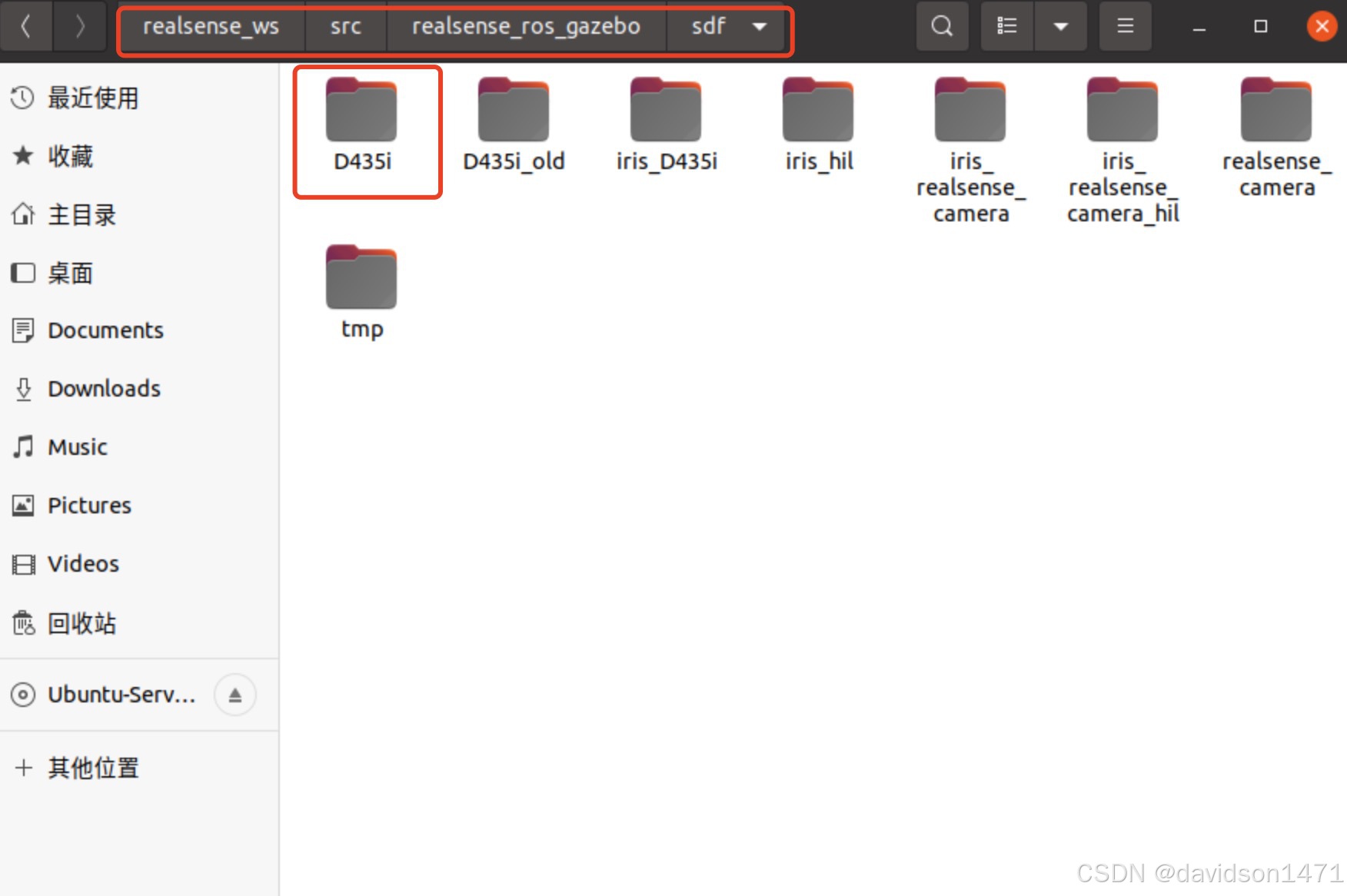
3、将下图中的D435i文件夹复制到GAZEBO_MODEL_PATH
4、将前面克隆的realsense_ros_gazebo文件夹整个移动到GAZEBO_MODEL_PATH中
5、创建px4的launch文件
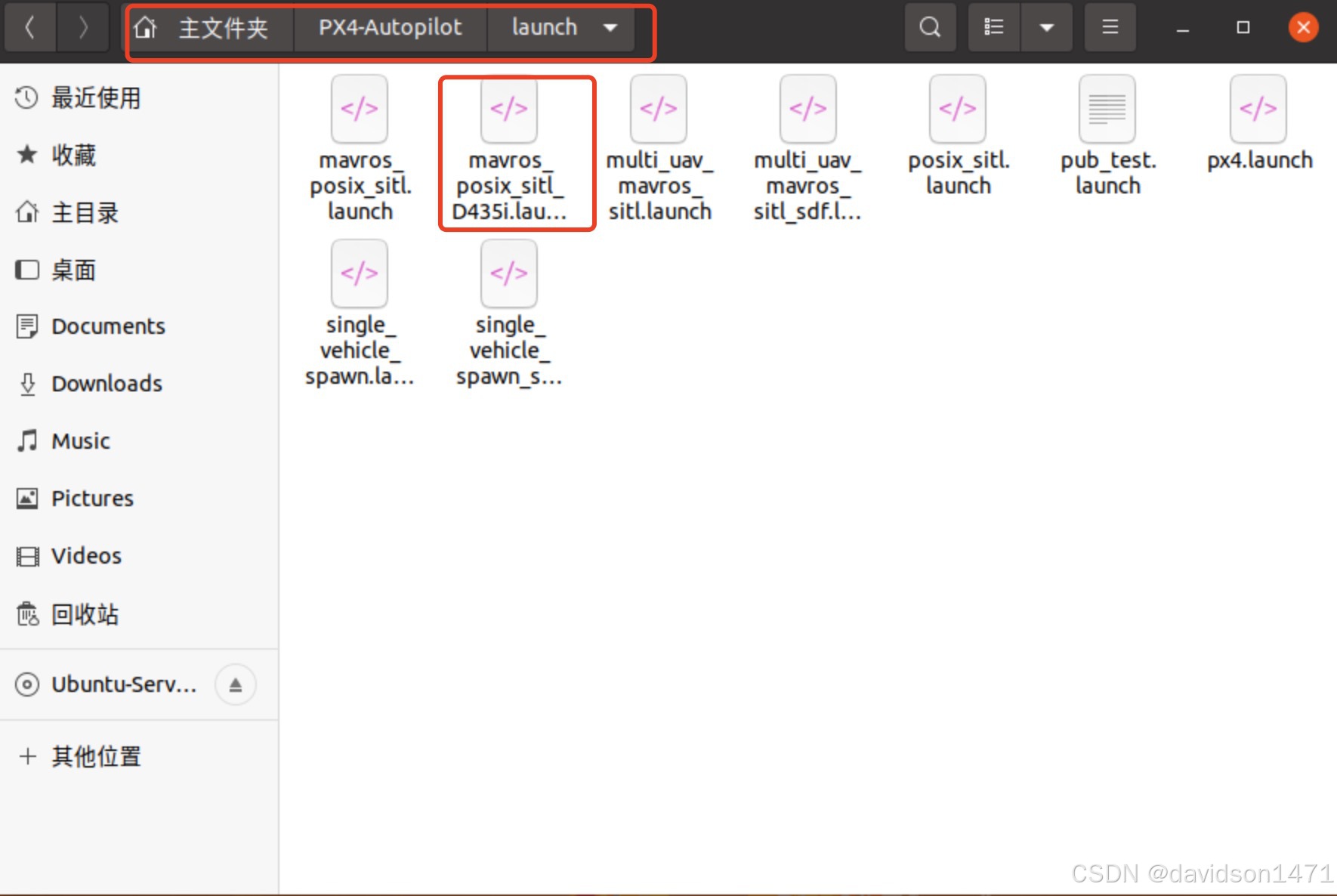
mavros_posix_sitl_D435i.launch
<?xml version="1.0"?>
<launch>
    <!-- MAVROS posix SITL environment launch script -->
    <!-- launches MAVROS, PX4 SITL, Gazebo environment, and spawns vehicle -->
    <!-- vehicle pose -->
    <arg name="x" default="0"/>
    <arg name="y" default="0"/>
    <arg name="z" default="0"/>
    <arg name="R" default="0"/>
    <arg name="P" default="0"/>
    <arg name="Y" default="0"/>
    <!-- vehicle model and world -->
    <arg name="est" default="ekf2"/>
    <arg name="vehicle" default="iris"/>
    <arg name="my_model" default="iris_fusion"/>
    <arg name="world" default="$(find mavlink_sitl_gazebo)/worlds/empty.world"/>
    <arg name="sdf" default="$(find mavlink_sitl_gazebo)/models/$(arg my_model)/$(arg my_model).sdf"/>

    <!-- gazebo configs -->
    <arg name="gui" default="true"/>
    <arg name="debug" default="false"/>
    <arg name="verbose" default="false"/>
    <arg name="paused" default="false"/>
    <arg name="respawn_gazebo" default="false"/>
    <!-- MAVROS configs -->
    <arg name="fcu_url" default="udp://:14540@localhost:14557"/>
    <arg name="respawn_mavros" default="false"/>
    <!-- PX4 configs -->
    <arg name="interactive" default="true"/>
    <!-- PX4 SITL and Gazebo -->
    <include file="$(find px4)/launch/posix_sitl.launch">
        <arg name="x" value="$(arg x)"/>
        <arg name="y" value="$(arg y)"/>
        <arg name="z" value="$(arg z)"/>
        <arg name="R" value="$(arg R)"/>
        <arg name="P" value="$(arg P)"/>
        <arg name="Y" value="$(arg Y)"/>
        <arg name="world" value="$(arg world)"/>
        <arg name="vehicle" value="$(arg vehicle)"/>
        <arg name="sdf" value="$(arg sdf)"/>
        <arg name="gui" value="$(arg gui)"/>
        <arg name="interactive" value="$(arg interactive)"/>
        <arg name="debug" value="$(arg debug)"/>
        <arg name="verbose" value="$(arg verbose)"/>
        <arg name="paused" value="$(arg paused)"/>
        <arg name="respawn_gazebo" value="$(arg respawn_gazebo)"/>
    </include>
    <!-- MAVROS -->
    <include file="$(find mavros)/launch/px4.launch">
        <!-- GCS link is provided by SITL -->
        <arg name="gcs_url" value=""/>
        <arg name="fcu_url" value="$(arg fcu_url)"/>
        <arg name="respawn_mavros" value="$(arg respawn_mavros)"/>
    </include>
</launch>
运行并测试
# 运行gazebo仿真
roslaunch px4 mavros_posix_sitl_D435i.launch
# 查看相机消息
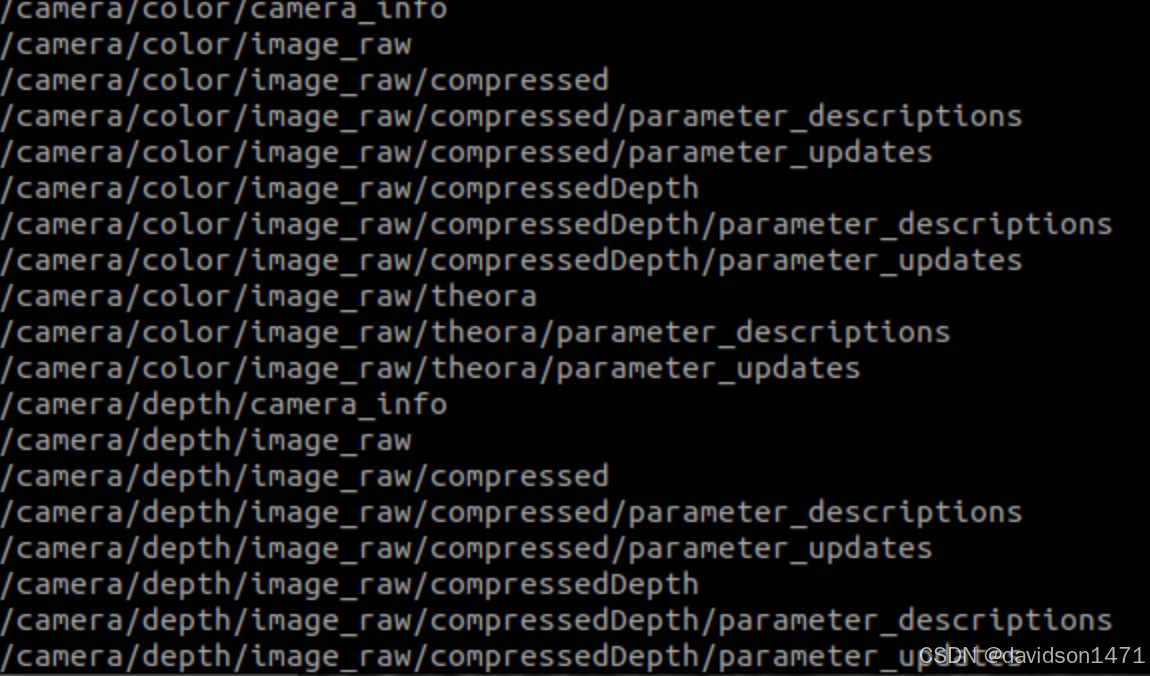
rostopic list
# 查看相机画面
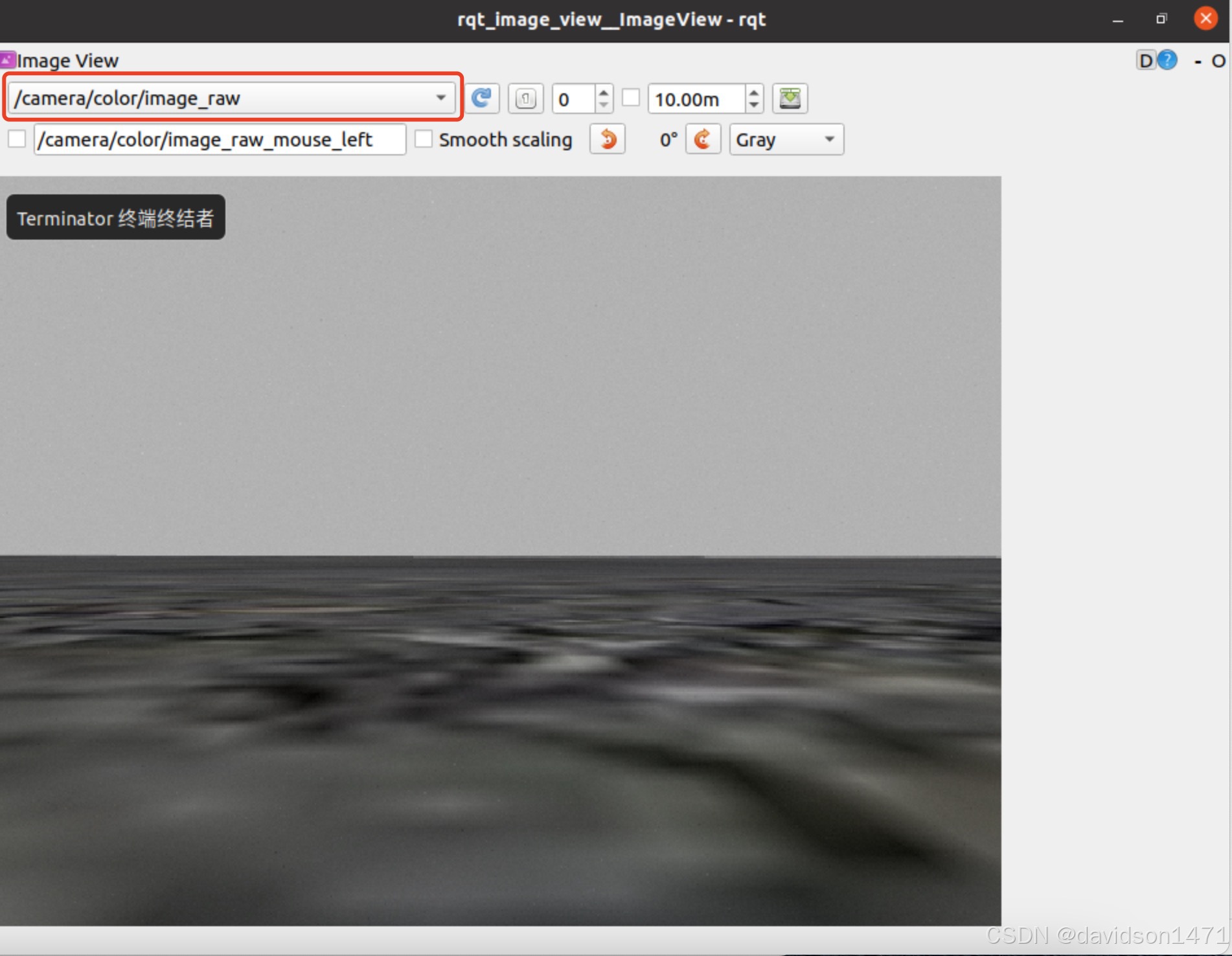
rqt_image_view
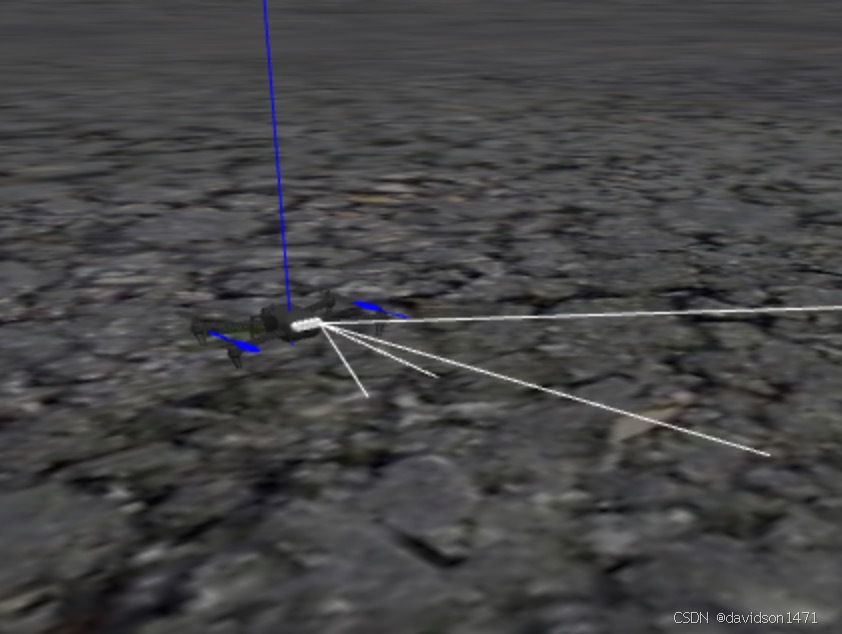
运行成功会出现带D435i的无人机、camera开头的消息、摄像头画面
参考文章

立足具身智能前沿赛道,致力于搭建全球化、开源化、全栈式技术交流与实践共创平台。
更多推荐
 25
25 0
0- 0


 已为社区贡献1条内容

所有评论(0)